The best 5G Android smartphones worth your money
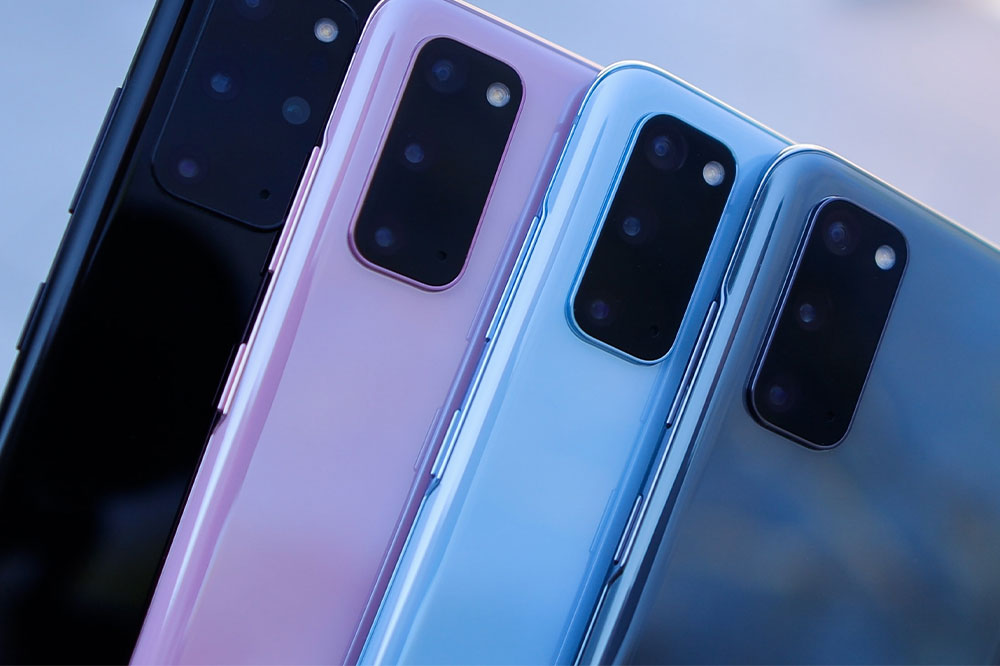
The best 5G Android smartphones worth your money

2020 seems to be the year for 5G and 5G enabled phones. Many carriers have already rolled out 5G services in a wide range of cities, with more regions expected to get 5G coverage as time progresses. Smartphones are also being made keeping this next-generation technology in mind, adding 5G capabilities to their already-powerful functionality.

With the market full of smartphones that offer the best features, it can be overwhelming and you may buy a handset that neither suits your requirement nor is worth the cash. To help you make the right choice, here is a comprehensive list of the best android smartphones that are 5G enabled in the market.

  • Samsung Galaxy S20 series

Available in three models: S20, S20 Plus, and S20 Ultra, the S20 series is replete with tons of impressive features. Unlike the S10, where only some models had 5G-compatibility, all S20 series devices are 5G-enabled and a notch above other Samsung smartphones. The lowest S20 model lacks mmWave 5G support, while the S20 Plus and Ultra are capable of connecting with both mmWave and sub-6GHz bands.

S20’s camera features 8k video recording, the ability to provide 33MP still photos with 8K videos, and ultra-high-resolution cameras.

  • OnePlus 7T Pro 5G McLaren

Touted as the best android smartphone of 2019, this OnePlus product boasts sub-6GHz 5G connectivity but lacks mmWave support. Therefore, speed isn’t one of its best attributes and instead delivers good range and penetration.

The model itself is stylish and features a Qualcomm Snapdragon 855 Plus processor, 12GB of RAM, an extremely responsive 90Hz Quad HD+ OLED screen, and UFS 3.0 256GB internal storage. Being a product of OnePlus, the 7T McLaren excels in terms of its camera quality and delivers stunning macro shots.

  • LG V60 ThingQ 5G

Priced at around $900, which is considerably lower to its competitors, the V60 ThinQ is 5G-enabled and is powered by a Qualcomm Snapdragon 865. Additionally, it has a high-resolution main camera (64MP) that supports 8K recording, ASMR and Voice Bokeh audio technology, advanced camera software, 6.8-inch OLED panel, 5,000mAh battery, 8GB of RAM, and 128GB of internal storage.

Also, the V60 is rated for IP68 dust and water-resistance, and can weather extreme physical conditions. As far as 5G is concerned, the V60 ThingQ supports sub-6GHz connectivity, with the mmWave band-limited to the Verizon model.

  • Nokia 8.3 5G

The biggest advantage of Nokia 8.3 is the massive connectivity to multiple bands. It is arguably, the best android smartphone to support both mmWave and Sub-6GHz 5G. The handset is equipped with Qualcomm Snapdragon 765G modular platform, 4,500mAh battery, 6GB to 8GB of RAM, 64GB to 128GB of storage, quad rear camera setup, and 24MP selfie camera. It is priced at around $600.


Popular Reads

6 important benefits of using 1Password

6 important benefits of using 1Password

Many websites ask customers and businesses to create password-protected accounts to use certain services. These include social media apps, OTT platforms, e-mail applications, and more. However, remembering passwords, especially when users create over a hundred accounts, is not easy. What’s more, the data is often vulnerable to malicious attacks. That’s where one should consider using 1Password, a private, secure, and user-friendly password management software. Here are the features customers or businesses get with 1Password. Clipboard management Users often copy a password to the clipboard and forget about it, leaving the system vulnerable to others who can access their data with a simple “copy” and “paste.” With Clipboard management, the software can be programmed to remove passwords from a clipboard automatically. Deleting sensitive information from the clipboard also ensures that the third-party app does not store sensitive data. Auto-lock Users often forget to lock their system when they are away from their work desk, thus leaving their system vulnerable to other individuals. Here’s where 1Password can also automatically lock the device when a user is away to safeguard sensitive information. Secure remote password It is a common practice for most websites to send passwords to servers when a user attempts to sign in.
6 tips to pick the right business management software

6 tips to pick the right business management software

Running a business involves dealing with lots of data, like finance figures, employee information, and logistics details. Handling this data manually can become tedious and daunting and may even lead to errors. That’s why ventures of all sizes prefer business management software, which can help centralize information from various departments to streamline process control. For businesses that require assistance selecting a software solution, here are six tips to help with that decision. Understand the company’s requirements One must first understand the company’s requirements to find the precise software. The individual must determine what aspects of the business require software integration. These could include finance, logistics, customer relationship management (CRM), invoicing, or email marketing. One should pick software that meets all the company’s needs. Consider ease of use Some business management software solutions have a clustered interface. Such an interface could make it difficult for the business to operate because it will have to train new staff continuously to use the software. So, one must pick an option that offers top-notch features and integrates beautifully into a simple, easy-to-operate interface. Compare features One must check the features of different software before choosing. The best ones will have various features, from primary inventory management to complex accounting functions.
6 advantages of cloud-based management software

6 advantages of cloud-based management software

Workspaces are constantly evolving these days, with many organizations shifting to a remote or hybrid work environment. This change has been supported by the rise of cloud computing, such as cloud-based business management software, project management software, accounting software, and more. Cloud computing has transformed data storage and access, resulting in increased flexibility and scalability. Read on to learn more about how businesses can gain by shifting to cloud-based management software. Better access to data With many companies shifting to hybrid work styles, making data available to the employees for seamless functioning is important. Cloud-based business management software enables this shift. It allows one to access company data from any device connected to the internet by logging into the online hub. People can collaborate and work in real-time across the world without having to constantly update each other or share details personally, improving overall productivity. Additionally, this software allows businesses to put multiple authorization checks in place to limit the number of people who have access to certain sensitive data. Improved job satisfaction Cloud-based management software makes managing projects easier, reducing the administrative workload on the team. This allows employees to have greater autonomy and responsibility for their work, which helps improve productivity, job satisfaction, and employee retention in the long run.
