Key things to know before buying a printer
Internet and Network

Key things to know before buying a printer

A printer is required for various purposes, whether for home or office use. From school assignments and remote work tasks to printing photos, labels, and shipping documents to meet everyday tasks, different needs require different types of printers. When planning to buy a printer, it helps to choose one with features that align with specific requirements. One can simplify the decision by comparing several printer types, key features, and price ranges.  Determine printing needs Before choosing a particular printer, first consider the print volume. Most households have light printing needs, meaning they print just a few pages a week. But others may require heavier use, especially when they have to regularly print school worksheets, reports, business documents, or frequent labels. Also, the type of content to be printed matters. Some users stick to mostly text pages, while others need a mix of charts and graphics. Additionally, if one is dealing with photo-heavy projects, the printer must provide features that are mostly available only in select models.  Make sure to look out for space and noise levels as well. For tight spaces like small desks, compact models are a better fit. In office environments, quieter printers are generally preferred to maintain a peaceful workspace.  Check popular printer types Several types of printers are available, each catering to different printing requirements and budgets.  Inkjet printers Inkjet printers are versatile devices that can handle text and color graphics, making them suitable for home projects and photo printing.
Common cybersecurity threats and best practices to protect data
Internet and Network

Common cybersecurity threats and best practices to protect data

Cyber threats continue to evolve faster than ever, and individuals and organizations are constantly at risk from malware, phishing, and AI-driven attacks. According to a study, global cybercrime costs are expected to reach $13.82 trillion by 2028. As such attacks become more sophisticated and harder to detect, knowing how they work and following cybersecurity best practices can safeguard the digital assets of individuals and organizations from their after-effects. Digital security threats Malware Malware is malicious software that compromises a user’s systems. Cybercriminals create malware to render systems or applications unusable. They also extract sensitive and confidential information from individuals and businesses. Once that information is taken, it can be used for nefarious purposes, such as wiping clean bank accounts, executing real-world security breaches and attacks, and destabilizing law enforcement operations.  Malware takes many forms, such as viruses, worms, trojans, spyware, bots, ransomware, adware, rootkits, and keyloggers. Social engineering It is a manipulation technique wherein individuals are tricked into sharing confidential information. Cybercriminals, or their enablers, execute a social engineering attack by gaining the trust of those who hold critical information. Essentially, social engineering is a trust-breaching con job. For instance, at an organizational level, cybercriminals may gain an employee’s trust to obtain information.  This is also one of those digital security threats that involves impersonating a legitimate entity to gain access to a secure server and its information.

Popular Reads

AI texting platforms – Key features and top options

AI texting platforms – Key features and top options

From coordinating promotional campaigns to maintaining ongoing client communication, tracking engagement metrics, and ensuring compliance with communication standards, marketing teams handle various aspects of a business’s brand management. With so many tasks to manage, many of these teams find it difficult to keep up with customer updates. This is where automated AI tools for texting help. In brand marketing and customer relations, texts have proven to be more effective than emails. Key Features of AI Texting Tools AI texting tools let businesses personalize marketing communication by accessing customer data. This means the algorithms on these platforms analyze customer data, such as past purchases, behavior, and preferences, to recommend specific products in follow-up messages. An approach like this usually makes the message feel more relevant to each recipient. Also, these tools include automation that can be used to schedule the sending of messages according to optimal times determined by data patterns. Any incoming message related to frequently asked questions receives an instant response from a chatbot. This feature helps reduce the risk of manual oversight in regular interactions. In addition, most AI texting tools have two-way conversation capabilities. This helps teams to manage ongoing queries directly through text. Customers receive prompt replies, which turns the conversational SMS into a dedicated support channel.
Top telecom carriers and things to consider before choosing them

Top telecom carriers and things to consider before choosing them

The kind of experience a person has when using their cell phone depends on which phone carrier’s services they use. That’s why choosing the right carrier is important. To decide which provider is the most suitable, it helps to consider factors like internet speed, long-term contracts, customer service, and cost. Coverage strength and plan flexibility also play a key role in determining the overall experience. Comparing popular providers based on these factors helps customers make better decisions. Popular mobile network providers in the US  T-Mobile With 5G coverage to over 330 million people, T-Mobile has one of the widest networks. Its median download speed is around 274.4 Mbps, which is sufficient for users to stream 4K content, handle large file transfers, and support multiple devices simultaneously without buffering or lag. The carrier’s plans include: Essentials, which offers 50GB of premium data for around $90 per month Experience More, which costs $140 per month and comes with 60GB hotspot and a Netflix Standard subscription  Experience Beyond, which offers unlimited talk & text and up to 30GB high-speed data in Canada & Mexico for $170 per month Customers who want modern 5G and inclusive benefits at non-premium prices will find these plans appealing.
5 no-contract carrier plans to consider

5 no-contract carrier plans to consider

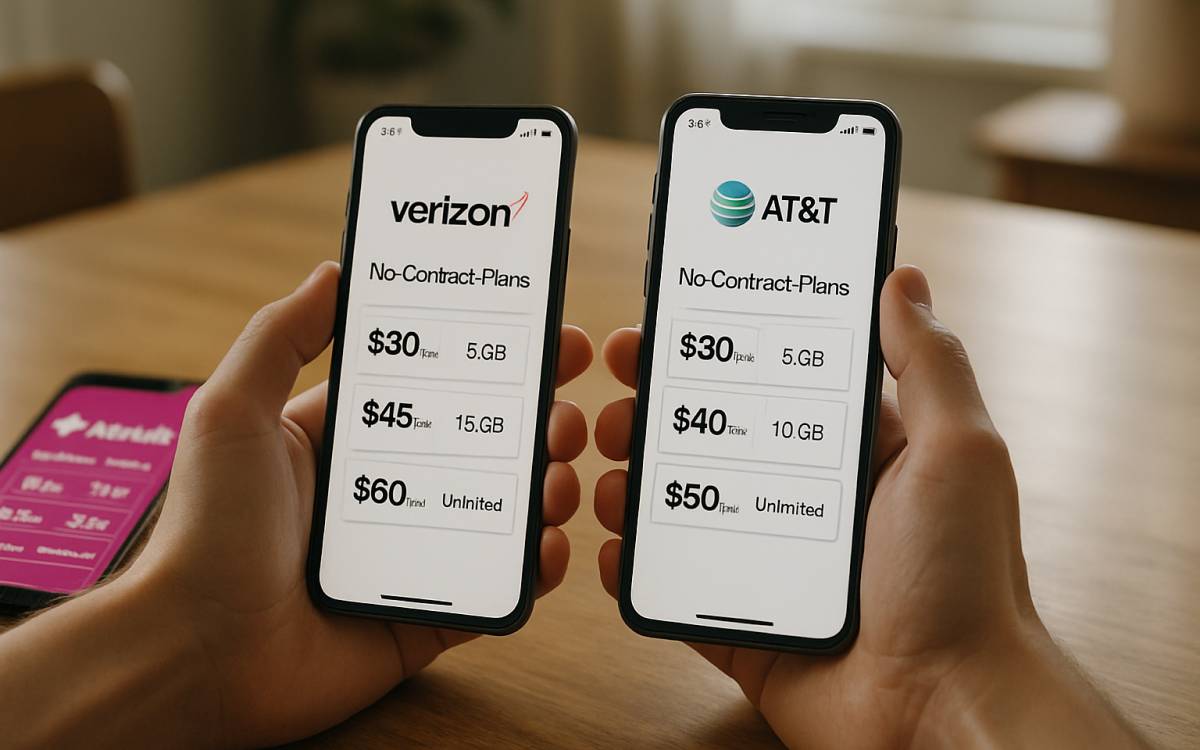
Network carriers provide a variety of mobile plans to suit different users. This includes options for those who prefer no-contract plans, even if they cost slightly more. While many top prepaid plans require no contract, not all are the same. Each plan offers a unique set of benefits, such as calling minutes, text messages, and data allowances. Learning about these differences can help one make a more informed choice when selecting a plan. US Mobile’s Unlimited Flex plan – Affordable for a single line The plan comes with 10 GB of high-speed data, followed by unlimited data at reduced speeds. Users also get 5 GB of hotspot data. The Unlimited Flex Plan also supports international calling and texting within the nation, with optional roaming add-ons while traveling. In terms of pricing, users can get this no-contract mobile deal for about $17 per month with an annual purchase (or $25 per month), making it a budget-friendly option for those with light data needs. Google Fi Unlimited Standard – For multiple lines Families seeking an affordable, no-contract cell plan that is also reliable can consider the Unlimited Standard plan from Google. This plan includes unlimited data, calls, and texts, with 50 GB of high-speed data.